Tag Archives: Nintendo Switch

Switch online app is live on for IOS and Android

Nintendo has released its online app for Switch is now available on the App Store for iOS and Google Play for Android devices.

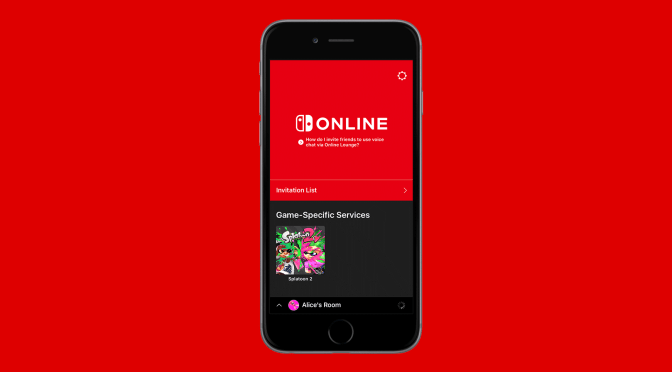
The app will “enhance your online gameplay experience” on Switch, and allow access to game-specific services, such as SplatNet 2 for Splatoon 2, in order to invite friends to play via social media, and use voice chat while playing.

Here’s the full overview:


◆ About

The Nintendo Switch Online app is designed to help enhance your online gameplay experience on Nintendo Switch. With this app, you can check game-specific services (e.g., SplatNet 2 for Splatoon 2), invite friends to play with you via social media, and use voice chat while gaming.

◆ Do you play Splatoon 2? If so, you can make use of the dedicated SplatNet 2 service!

You can use SplatNet 2 to check all sorts of vital battle-related information, including match results, stages, and rankings!

◆ Inviting friends via social media

You can invite friends to play with you in supported games via social media such as Facebook and Twitter. Of course, you can easily invite your Nintendo Switch friends, too!

◆ Using voice chat while gaming

You can enjoy voice chat in different ways depending on the type of game you’re playing. Chat with everyone in your room or split voice chat into teams and have it out head-to-head!

*In order to use these services, a Nintendo Switch game compatible with this app is required. Splatoon 2 is compatible with this app.

Attention:

  • You can use the Nintendo Switch Online app for free until the paid subscription service launches in 2018.
  • A persistent Internet connection is required to use this app. Cellular data may be used.
  • A Nintendo Switch console, a Nintendo Account, and supported game are required.
  • You must be at least 13 years or older to use this app.
  • Your use of this app is subject to the Nintendo Account User Agreement, available at support.nintendo.com.
Switch-ing up Dragon Ball Xenoverse 2

DBXV2-Switch-Logo-PNG

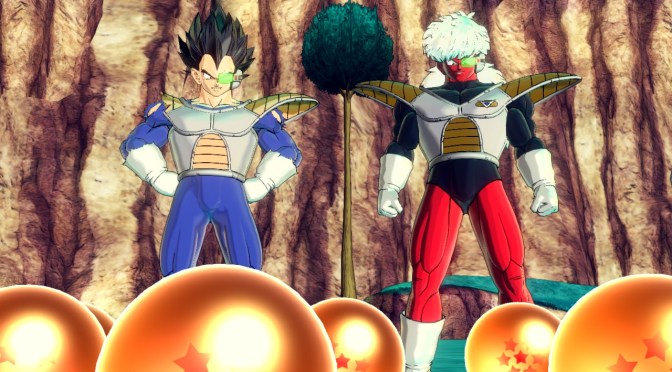
Fan of the Dragon Ball Xenoverse series? Picked up a Nintendo Switch but never got around to picking up Dragon Ball Xenoverse 2? If so, you’ll be glad to hear that Bandai Namco is bringing Dragon Ball Xenoverse 2 to the Nintendo Switch this September!

Xenoverse 2 will have special Switch functionality, utilizing Joy Con motion controls and includes a 6 player local play mode -features exclusive to the Switch.

Additional options include playing locally with a friend and a more in-depth avatar creation system as well as battle adjustments.

Here is a quick overview, and screenshots:


It’s Time to Go Super Saiyan on Nintendo Switch

Dragon Ball Xenoverse 2 builds upon the highly popular Dragon Ball Xenoverse with enhanced graphics that will further immerse players into the largest and most detailed Dragon Ball world ever developed. Dragon Ball Xenoverse 2 for Nintendo Switch includes Nintendo Switch-specific features and a different way of playing with your friends both locally and online.

Key Features

  • Switch specific controls and functionality, for example perform the Kamehameha and Spirit Bomb with the Joy-Con motion controls.
  • Six player local play mode (additional Nintendo Switch units required).
  • Use individual Joy-Con controllers to play the game with a friend locally.
  • Relive the Dragon Ball story by time traveling and protecting historic moments in the Dragon Ball universe.
  • More in-depth avatar creation system and battle adjustments compared to Dragon Ball Xenoverse.

Are you going to be picking up this title for the Switch? Let us know in the comments!

Version 1.1.0 adds “Lan Play” support and “Arena Mode” to ARMS

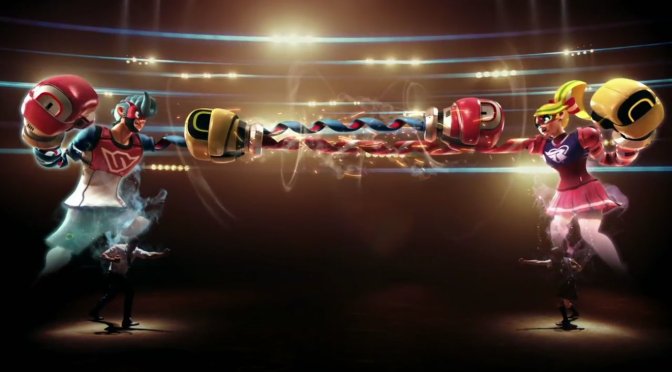
Nintendo has released update version 1.1.0 for Arms, adding “LAN Play” support, an “Arena Mode,” as well as several fixes to the recently launched Switch fighting game.

The full list of changes include:


  • “LAN Play” support. You can now play against users within the same local area connection. If you click the L Stick while pressing the L Button and R Button on the top menu, you can switch between Local Communication and LAN Play.
  • “Arena Mode” added. It’s a mode where players can take turns fighting in one-on-one matches in Friend, Local Communication, and LAN Play. A maximum of four people can enter the Arena, with those not participating in the battle able to “Spectate.”
  • Fixed an issue where Kid Cobra continuously charge dashes when riding the snakeboard.
  • Fixed an issue where Barq (of Byte & Barq) does a big warp when riding the snakeboard and finishing a special move rush.
  • Fixed an issue where Arms such as Chakram did not hit the purple boxes that appear in the “Ribbon Ring” arena.
  • Fixed an issue where Biff says “AMRS Grand Prix” instead of “ARMS Grand Prix.”

Arms is available now for Switch.

Switch Update lets players use Pokken Pad & Brook Universal Fighting Board as Pro Controllers

A few days ago Nintendo released a new system update to the Nintendo Switch.

The update prepares the system for the upcoming Pokken Tournament DX, which adds functionality for the Wii U’s Pokken Controller to be used as a Pro Controller.

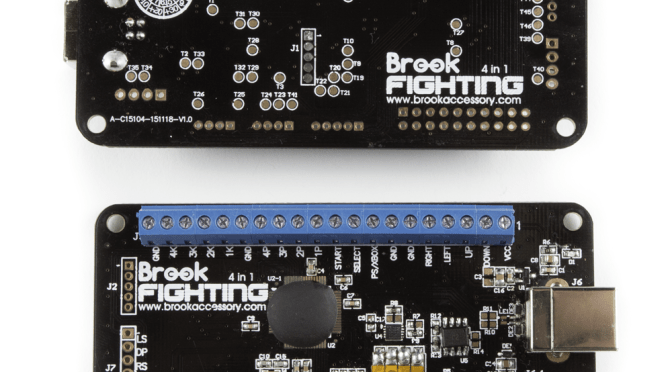
The update also gives access to players with fightsticks who have a Brook Universal Fighting Board installed the same functionality as well. Since one of the UFB’s modes emulates a Pokkén Pro Pad, players can press and hold the 1K/LK button while plugging into the Switch for this to work.

On top of  that, the update adds the ability to add friends from your 3DS and Wii U Friends Lists, receive notifications when Friends go online, use the Pro Controller via wired communication by connecting the USB charging cable, prevent unintended HDMI input change with certain TVs while the console is docked in Sleep Mode, and more.

Get the full list of changes below.

Improvements Included in Version 3.0.0

Added the following system functionality

  • Register a channel to receive News for specific games
    • To register, head to News > Find Channels
  • Add friends from your Nintendo 3DS and Wii U Friend Lists
    • To add friends, head to your My Page on the top left of the Home Menu > Friend Suggestions
  • Receive notifications when your Friends go online
    • To turn this ON/OFF, head to System Settings > Notifications > Friend Notifications
  • Find paired controllers within communication range by activating the vibration feature
    • To search, head to Controllers > Find Controllers
  • Change the user icon order on the Home Menu
    • To change order, head to System Settings > Users > Change Order
  • Select from six new Splatoon 2 characters for user icon
    • To edit your user icon, head to your My Page on the top left of the Home Menu > Profile
  • Change the system volume from the Quick Settings
    • To access Quick Settings, hold down the HOME Button
  • Lower the maximum volume for headphone or speakers connected to the audio jack
    • To lower the max headphone volume, head to System Settings > System > Lower Max Headphone Volume
      * This settings will be ON when Parental Controls are enabled
  • Change display colors to Invert Colors or Grayscale
    • To use this feature, head to System Settings > System > Change Display Colors
  • Connect a USB keyboard to the dock to type whenever the keyboard is on the screen
  • Use the Nintendo Switch Pro Controller via wired communication by connecting the USB charging cable
    • To enable, head to System Settings > Controllers and Sensors > Pro Controller Wired Communication
      * The NFC touchpoint on the Pro Controller will be disabled while the controller is using wired communication.
  • Update connected controllers
    • To update, head to System Settings > Controllers and Sensors > Update Controllers
    • Added a feature that suggests deletion of software data when insufficient space when downloading other software
      * User save data is not deleted

General system stability improvements to enhance the user’s experience, including:

  • Resolved an issue that caused game software updates to fail and prevented the software from starting
  • Improvements to prevent unintended HDMI input change with certain TVs while the console is docked in Sleep Mode

Pokken Tournament DX is coming to Nintendo Switch

Dure the Pokemon Nintendo Direct, Nintendo and the Pokemon Company announced Pokken Tournament DX is coming to the Switch. The title will have new modes, daily challenges plus more.

Pokken Tournament DX will launch on Nintendo Switch September 22 worldwide.

You can check out a quick overview below.

Pokemon is making its way to Nintendo Switch later this year with Pokken Tournament DX. Along with all the content from both the Wii U and arcade versions of Pokken Tournament, the Pokemon fighting game where Pokemon in battle move in direct response to the player’s actions, Pokken Tournament DX also introduces an array of exciting new features to create the ultimate Pokken experience. Pokken Tournament DX features include:

  • Play Pokken anytime, anywhere on Nintendo Switch – Play Pokken Tournament DX in TV mode, handheld mode, or share a Joy-Con controller with another Trainer to battle one-on-one in tabletop mode anywhere!
  • A brand-new fighter – Decidueye enters the battle, alongside all previous Pokemon from the Wii U and arcade versions.
  • New Support Pokemon – Litten and Popplio make their debut to lend their support in battle.
  • Team Battle mode – Pick three Pokemon and battle it out to be the first to defeat all your opponent’s Pokémon to win in the new Team Battle mode.
  • Group Match mode – Find similar skilled players in battle rooms for intense and fun battles online.
  • Daily Challenges – Complete a variety of different daily challenges.
  • Watch battle replays – Hone your skills by watching other players’ replays and share your best matches online with the new replay feature.
  • Jump straight into battle – All characters and Support Pokemon will be available right from the start of the game.